

 AhsayCBS
QNAP NAS Requirements for Ahsay Go
The following are the requirements to be able to install Ahsay Go on QNAP NAS.
For a list of general requirements that apply to all operating systems, please refer to: Ahsay Go Requirements
Below are the QNAP NAS specific requirements for Ahsay Go:
Hardware Requirements
Refer to the following link for the list of supported QNAP NAS models:
Ahsay Go Hardware Compatibility List for version 10 on QNAP NAS
Memory Requirement
The default Java heap size of Ahsay Go installation on QNAP NAS is 256 MB. It is recommended that 1 GB RAM or more is installed for stability and better backup / restore performance.
TCP Port Requirement
By default, the QNAP NAS machine uses TCP port 32168 for the WuiService.
TCP port 32168 must be free on the machine. Otherwise, the Ahsay Go client will not start and its backup and/or restore functions will not work.
QNAP NAS User Account Permission
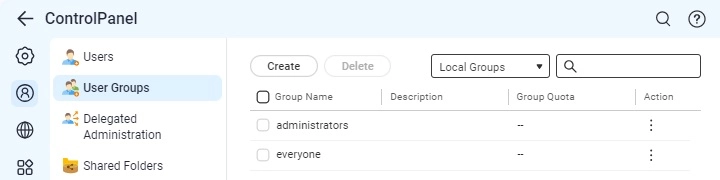
The QNAP NAS user account used for the Ahsay Go installation must be a member of "administrators" user group.
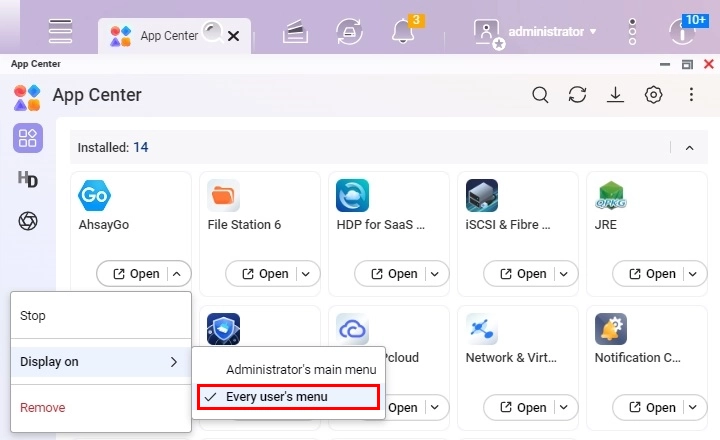
The QNAP NAS user account belongs to "everyone" user group, select Ahsay Go to "Display on" Every user’s menu in the App Center.
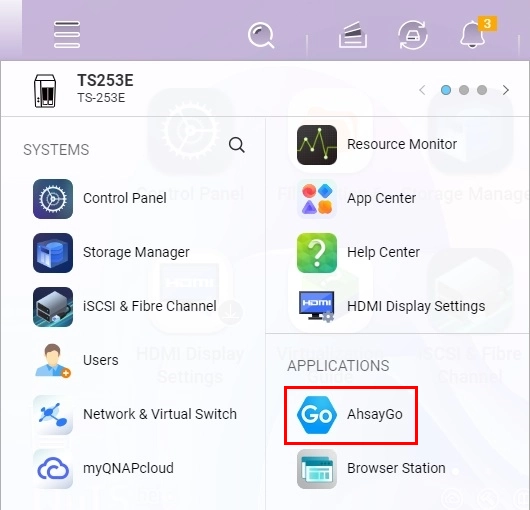
After login with the user account belonging to "everyone" user group, you can find the App in the user's menu.
QNAP NAS Settings
Ensure that the following requirements are followed to be able to launch Ahsay Go:
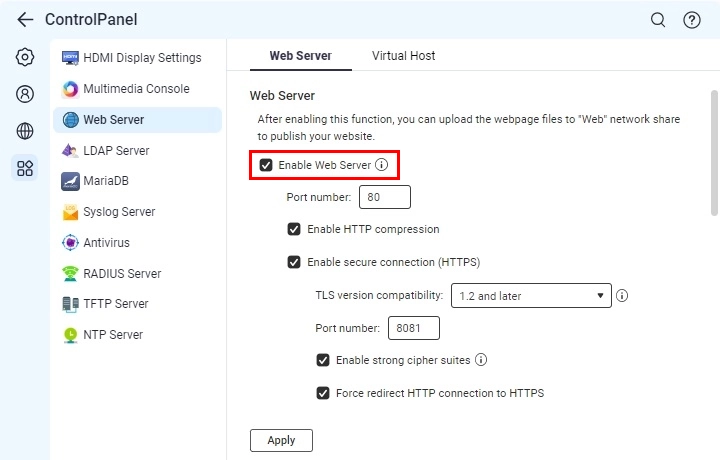
Web Server must be enabled
Go to Control Panel > Applications > Web Server, tick the "Enable Web Server" checkbox then click Apply.
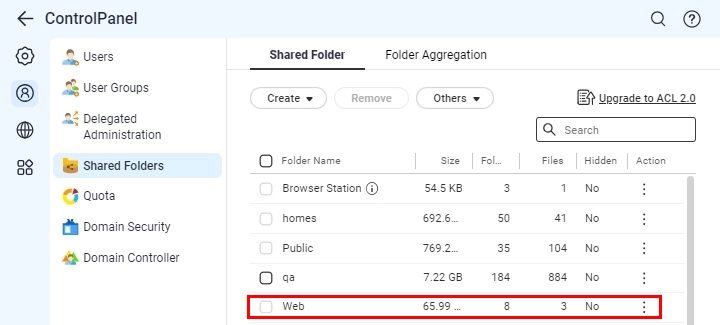
Web folder must be included in the Shared Folder list
Go to Control Panel > Privilege > Shared Folders, check if "Web" is in the list.
Temporary Directory Requirement
All backup sets use a temporary directory location on the user home for backup and restore.
Ensure that the drive where the temporary directory is located has a lot of free space to accommodate all the backup and restore jobs, especially if they will be running concurrently.