

 AhsayCBS
Run an Oracle Backup Job on Windows/Linux (GUI) for AhsayOBM
-
Log in to AhsayOBM.
For instructions on how to do this please refer to the Login section.
-
Click the Backup icon on the main interface of AhsayOBM.
-
Select the Oracle database backup set which you would like to start a manual backup for.

-
There are two (2) types of backup mode in an Oracle database backup set:
- Database - this type of backup includes Tablespaces, Control and Init File, and Archived Log Files. To see the steps during a Database backup job, please refer to the overview of the Database Backup Process of the Introduction.
- Archived Log - this type of backup is for Archived Log Files. To see the steps during an Archived Log backup job, please refer to the overview of the Archived Log Backup Process in the Introduction.
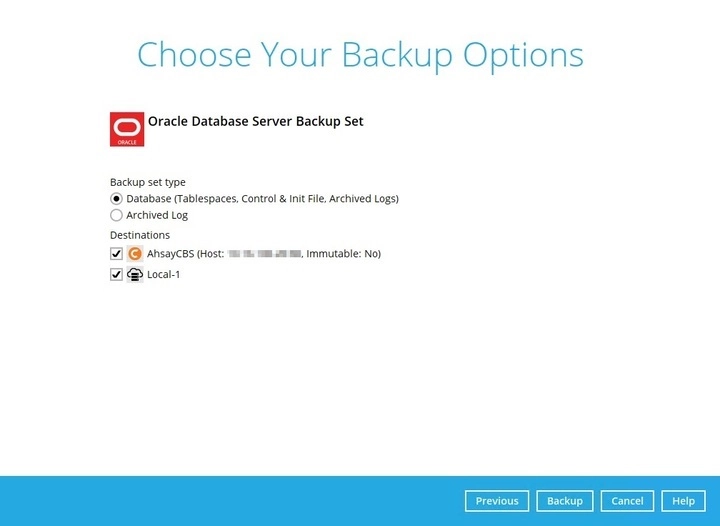
You can also modify the “Destinations” option before running a backup.
-
Click Backup to start the backup job. Once finished, "Backup Completed Successfully" will be displayed.

To check the log of your backup, click the magnify icon to show you the log of your backup with corresponding date and time.
