AhsayCBS
Set Up Full Disk Access Permission
What is Full Disk Access? Full Disk Access is a new security feature in macOS 10.15 or higher that requires some applications to be given full permission to access your protected files and have certain administrative settings available.
Here are the steps on how to setup and grant Ahsay Go a Full Disk Access:
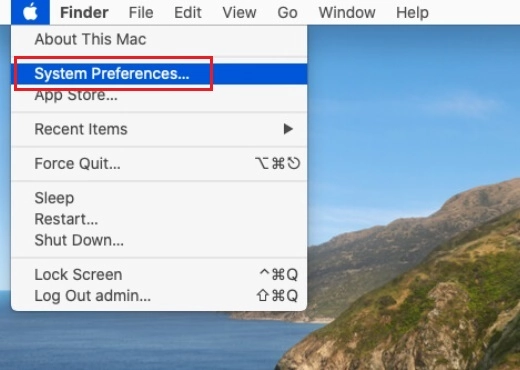
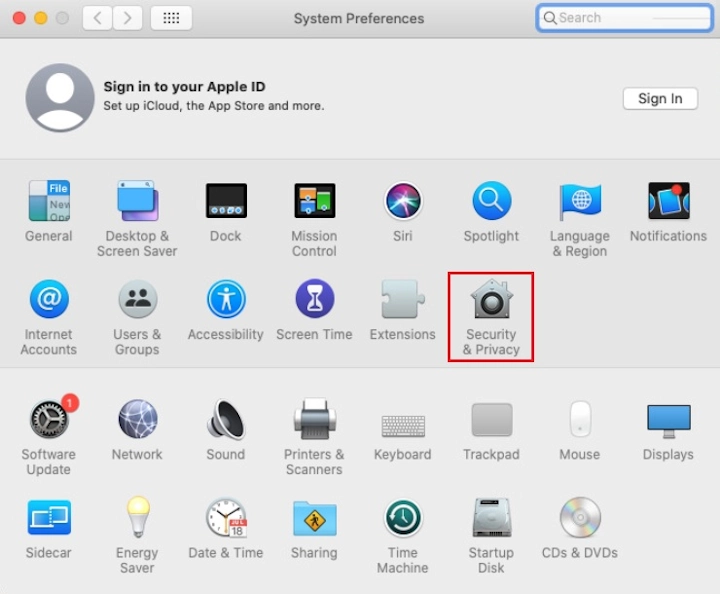
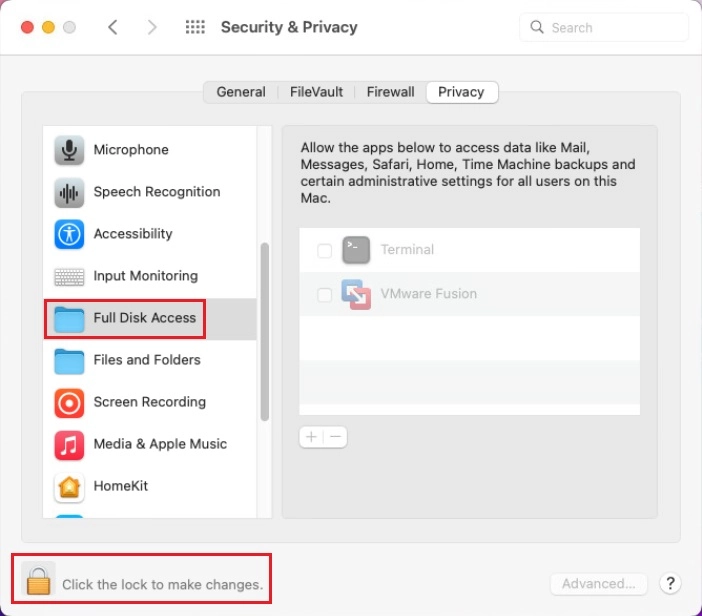
Open System Preferences > Security & Privacy.
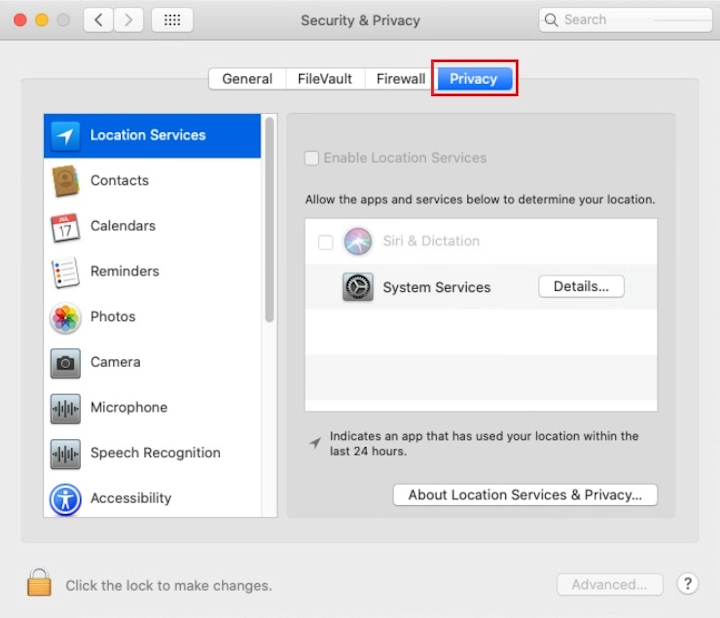
Select the Privacy tab.
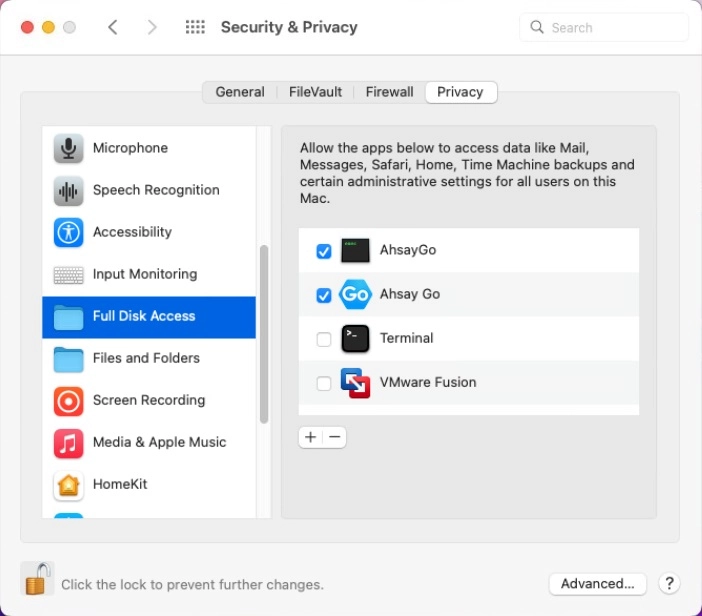
Select Full Disk Access, then click the lock icon.
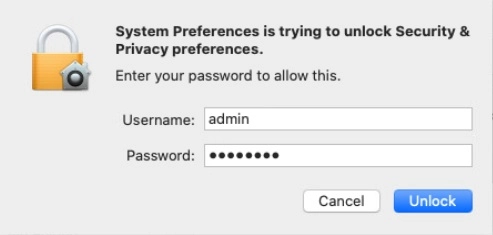
Enter the System Administrator credentials and click Unlock.
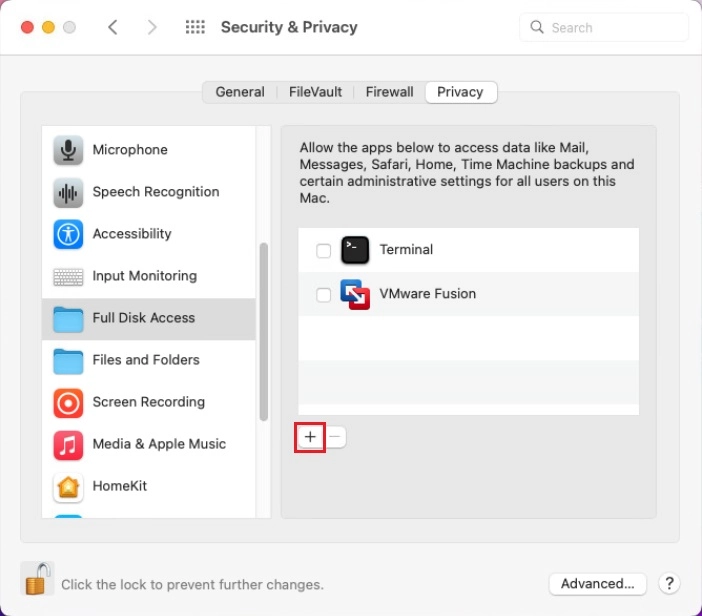
Click the + icon.
Click Applications, then select Ahsay Go, and click Open.
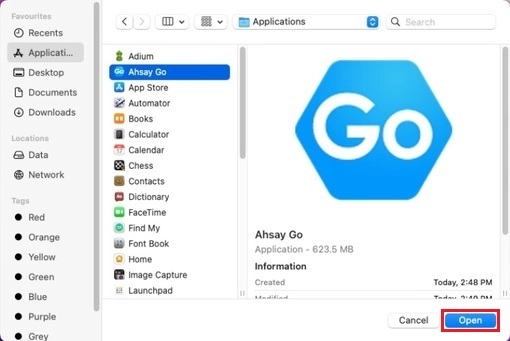
Also add /Applications/AhsayGo.app/Contents/MacOS/AhsayGo, and click Open.
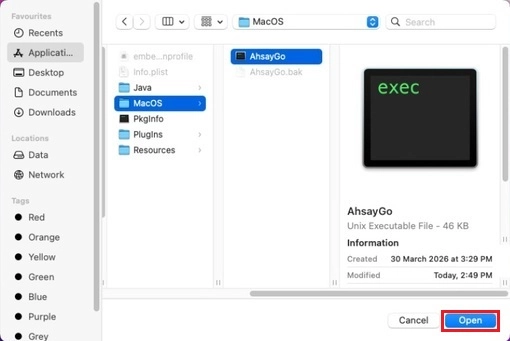
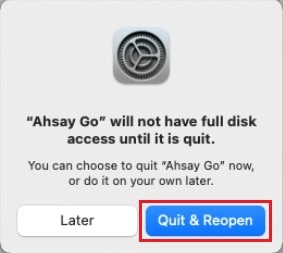
This message will appear if Ahsay Go is open. Click Quit & Reopen to proceed.
Ahsay Go now has Full Disk Access.