AhsayCBS
Ahsay Go - Run Google Workspace Backup Job
-
Click the Backup icon.
-
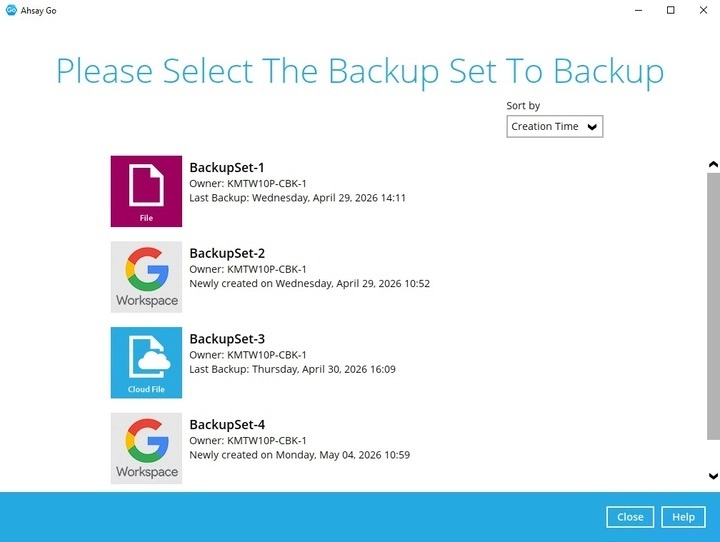
Select the backup set which you would like to backup.
-
You can modify the "Destinations" option. Once done, click Backup to start the backup job.
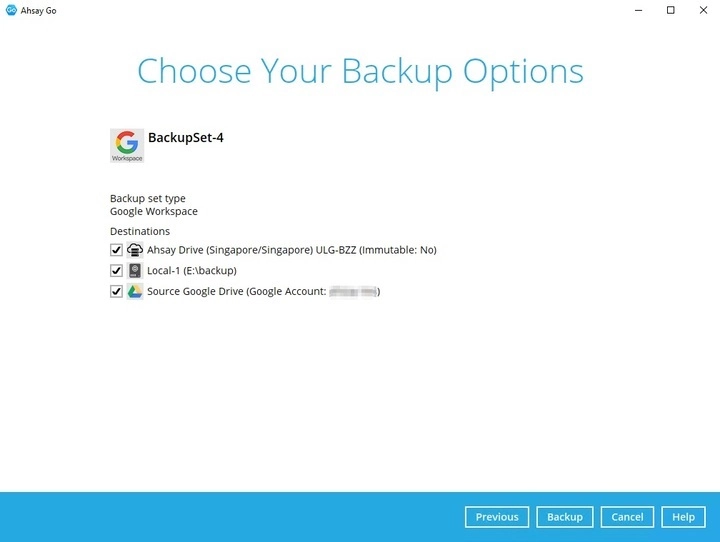
If you uncheck any New Document Copy Destination option, you will have to select at least one (1) traditional backup destination.
Unchecking any traditional backup destination would require you to have at least one (1) New Document Copy Destination selected.
For more information on Traditional and New Document Copy backup destinations, please refer to the Create a Google Workspace Backup Set page.
-
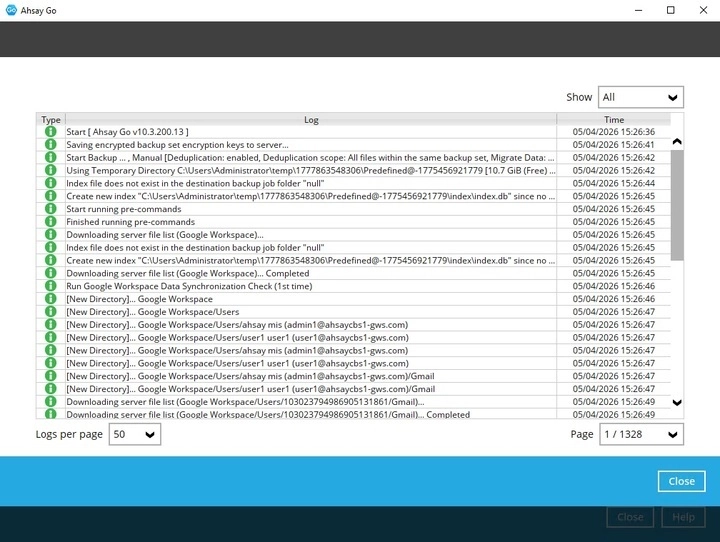
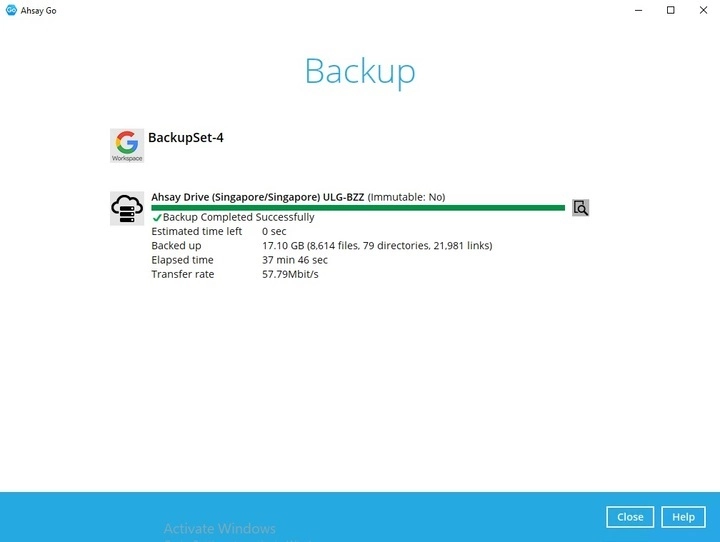
The following screen will be displayed to indicate that the backup job is successfully completed. You may click the icon to the right of the progress bar to check the backup log.
-
Once done checking the backup log, click Close to return to the previous screen.