AhsayCBS
Update Connection Settings
To update the host name or IP address setting of the backup client machine if there are changes after device pairing. Follow the instructions below:
Tap the Edit connection setting link.
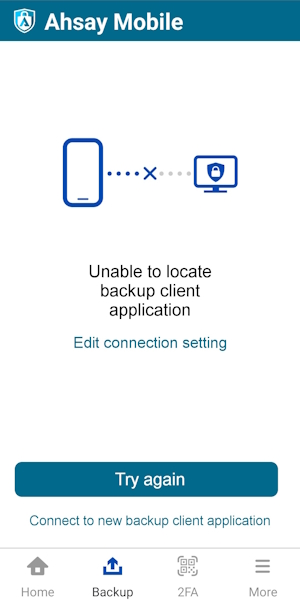
Choose from the following options:
Automatically locate backup client machine
This will automatically connect to the backup client machine.
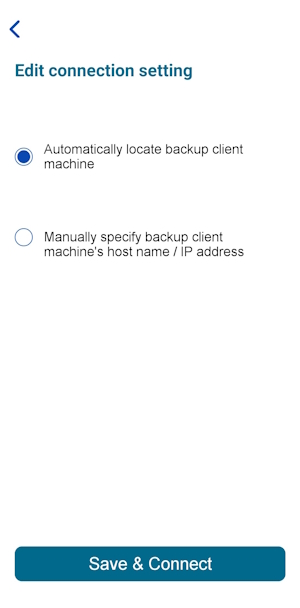
- Select Automatically locate backup client machine then tap Save & Connect.
- It will return to the Backup main screen and connect automatically to the backup client machine.
Manually specify backup client machine's host name / IP address
You can manually set the host name or IP address of the backup client machine.
This will automatically connect to the backup client machine.
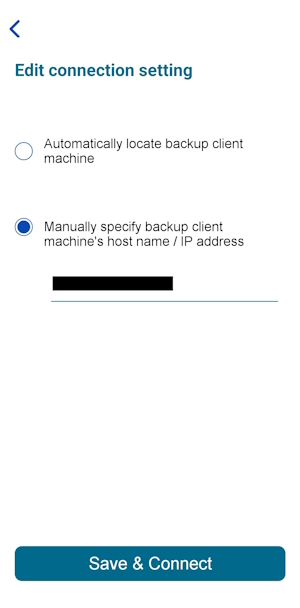
- Select Manually specify backup client machine's host name / IP address.
- Enter the host name or IP address, then tap Save & Connect.
It will attempt to connect to the specified host name or IP address. While attempting to connect, the host name or IP address field is disabled.
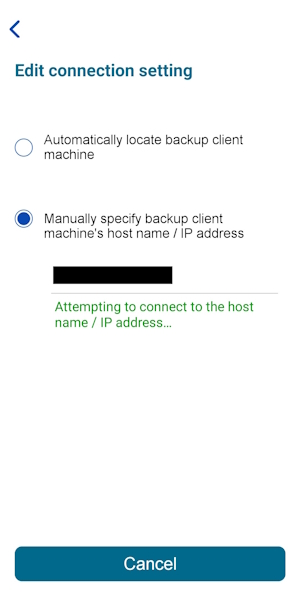
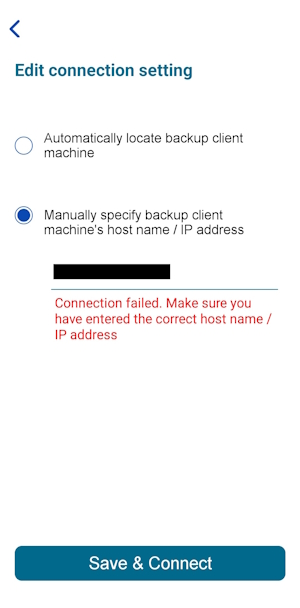
If you have entered an invalid host name or IP address, this message will be displayed.
The new host name or IP address has been updated and successfully connected to the backup client machine.