AhsayCBS (DIY)
Configure Antivirus Exclusions for Ahsay Go
Product Version
Operating System
Description
This How-To article contains a list of Ahsay software processes and directory paths that should be white-listed / excluded on all antivirus software.
Solution
To optimize performance of the Ahsay software and to avoid any conflict with your antivirus software, the following processes and directory paths should be added to all antivirus software while-list / exclusion list.
The following processes should be white-listed in Ahsay Go:
-
Ahsay Backup Process
For Ahsay Go on Windows - bJW.exe
For Ahsay Go version 10.1 or above, the bJW.exe process is automatically added to Windows Defender exclusion list for Windows 10 and 2016 during installation / upgrade via installer or upgrade via AUA. -
Ahsay Go Backup Manager Services
For Ahsay Go on x64 Windows - cbpsX64.exe
For Ahsay Go on x86 Windows - cbpsX86.exe
The following directory path should be white-listed:
- Ahsay Go installation folder (e.g. C:\Program Files\AhsayGo)
- Ahsay Go log folder (e.g. %SystemDrive%\ProgramData\AhsayGo)
- Ahsay Go configuration and log folder (e.g. %UserProfile%\.obm)
-
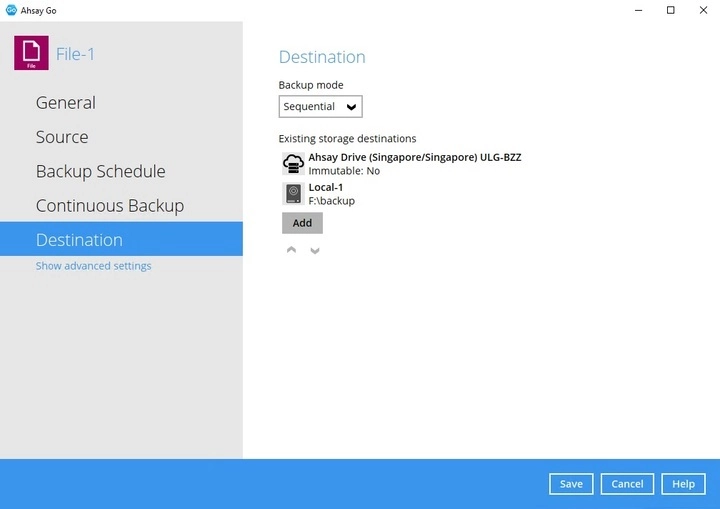
Backup destination on Local / Mapped Drive / Network Drive / Removable Drive of all backup sets
You can confirm the backup destination of each backup set by logging in the Ahsay Go user interface then go to Backup Sets > %backup set% > Destination.
-
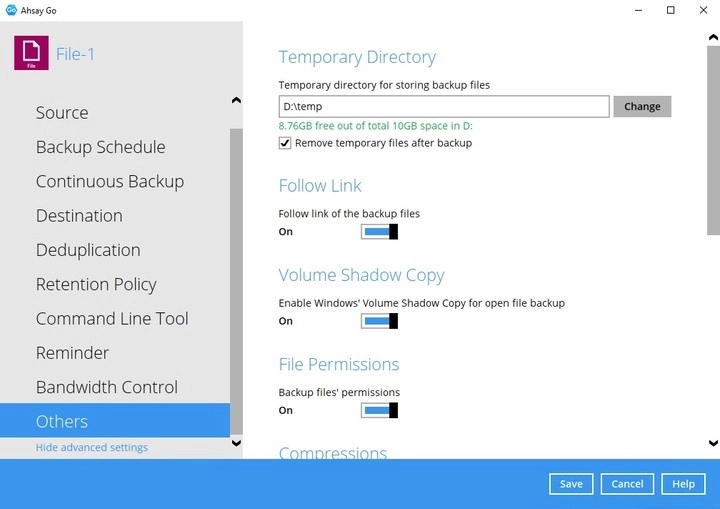
Temporary directory of all backup sets
You can confirm the temporary directory location of each backup set by logging in the Ahsay Go user interface then go to Backup Sets > %backup set% > Show advanced settings > Others